
GloNet

GloNet VPN · Android

Private connection.One tap away.

GloNet VPN is a simple VPN for Android. Tap once to route your traffic through an encrypted tunnel to a GloNet server — no account, no setup, nothing to configure.

Android · Coming to Google PlayAndroid 7.0+
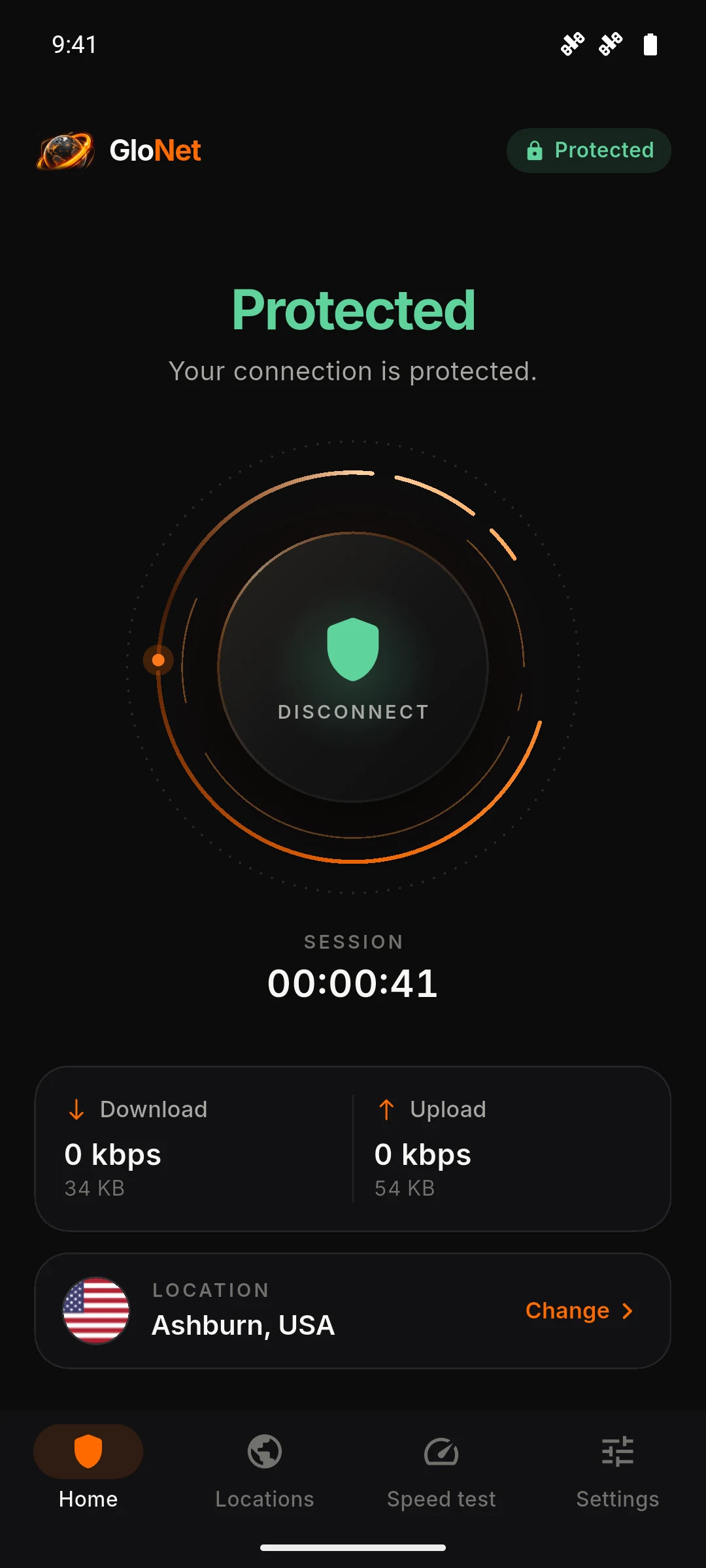
GloNet VPN home screen showing “Protected”, connected to Ashburn, USA, with session time and traffic.
  • 01No accountNo sign-up, email or phone number.
  • 02Encrypted tunnelModern VLESS + REALITY transport.
  • 03Free to useNothing to buy in the current version.
  • 04Phones & tabletsDesigned for every Android screen.

01How it works

Three steps. That’s it.

No account to create and nothing to configure before you connect.

  1. Step 1: Open GloNet

    Your last location is remembered, so you’re ready to go.

  2. Step 2: Choose a location

    Pick a server from the Locations tab. We’re starting with US East in Ashburn, Virginia.

  3. Step 3: Tap Connect

    The first time, Android asks you to allow the VPN connection. Once the app shows “Protected”, you’re connected.

Your device sends traffic through an encrypted tunnel to a GloNet server in Ashburn, Virginia, which forwards it to the internet.ENCRYPTED TUNNELYour deviceAndroid VPN connectionGloNet serverAshburn, VirginiaThe internetSees the server’s IPYour device sends traffic through an encrypted tunnel to a GloNet server in Ashburn, Virginia, which forwards it to the internet.ENCRYPTED TUNNELYour deviceAndroid VPN connectionGloNet serverAshburn, VirginiaThe internetSees the server’s IP

When you connect, Android creates a VPN connection on your device and GloNet routes your internet traffic through an encrypted tunnel to the server you selected. Websites and apps see that server’s IP address instead of yours.

02Features

Everything you need.
Nothing you don’t.

GloNet focuses on the essentials of a good VPN: a fast way to connect, honest status, and a few useful tools.

One-tap connection

A single control connects and disconnects. The app goes straight to Android’s VPN prompt — no extra steps.

Clear, live status

Not protected, Securing connection, or Protected — always taken from the real connection state.

Session time & traffic

How long you’ve been connected, current speed, and data used this session.

Choose your location

A clean location list. New locations appear automatically as they go live.

Built-in speed test

Check download and upload speed, through GloNet or on your direct connection.

Private browser

Incognito tabs with caching turned off, for quick private lookups.

Phones and tablets

On tablets the app switches to a navigation rail and a two-column home — never a stretched phone layout.

03Infrastructure

Starting in US East.

Our first location is in Ashburn, Virginia — a major internet and data center hub on the US East Coast. More locations are coming.

  • New locations appear in the app automatically — no update needed.
  • Switch locations at any time from the Locations tab.
  • We only list locations that are live. No placeholders, no padding.
Node 01Ashburn, VirginiaAvailable · US East · Free
US EastVLESS · REALITY1 location available
Next locations
  • Planned
  • Planned
  • Planned
To be announced as they go live.

04 Privacy & security

Privacy should be explained, not hidden.

No vague promises. Here’s what GloNet does, what it can see, and which services it uses — in plain language.

  1. 01

    Encrypted between you and our server

    Traffic between your device and the GloNet server is encrypted using VLESS with REALITY, a modern transport built on TLS 1.3. This protects it from others on your local network, such as public Wi-Fi.

  2. 02

    No account, no personal details

    The current app doesn’t ask for your name, email address or phone number. There’s nothing to sign up for.

  3. 03

    What our server handles

    To route your traffic, the GloNet server you connect to necessarily processes your connection — including your IP address and the destinations your traffic is sent to. Our Privacy Policy explains what we keep and for how long.

  4. 04

    Third-party services, disclosed

    The app uses Google Firebase Analytics for basic usage statistics and includes the Google Mobile Ads SDK. Ads are currently turned off. Speed tests contact third-party test servers.

05The app

Designed to be calm.

A dark, focused interface that tells you exactly what’s happening. These are real screens from the app.

HomeOne clear control and honest status.

Tablet layout

Made for bigger screens, too.

Navigation rail, two-column home, generous spacing — GloNet is designed for Android tablets, not stretched onto them.
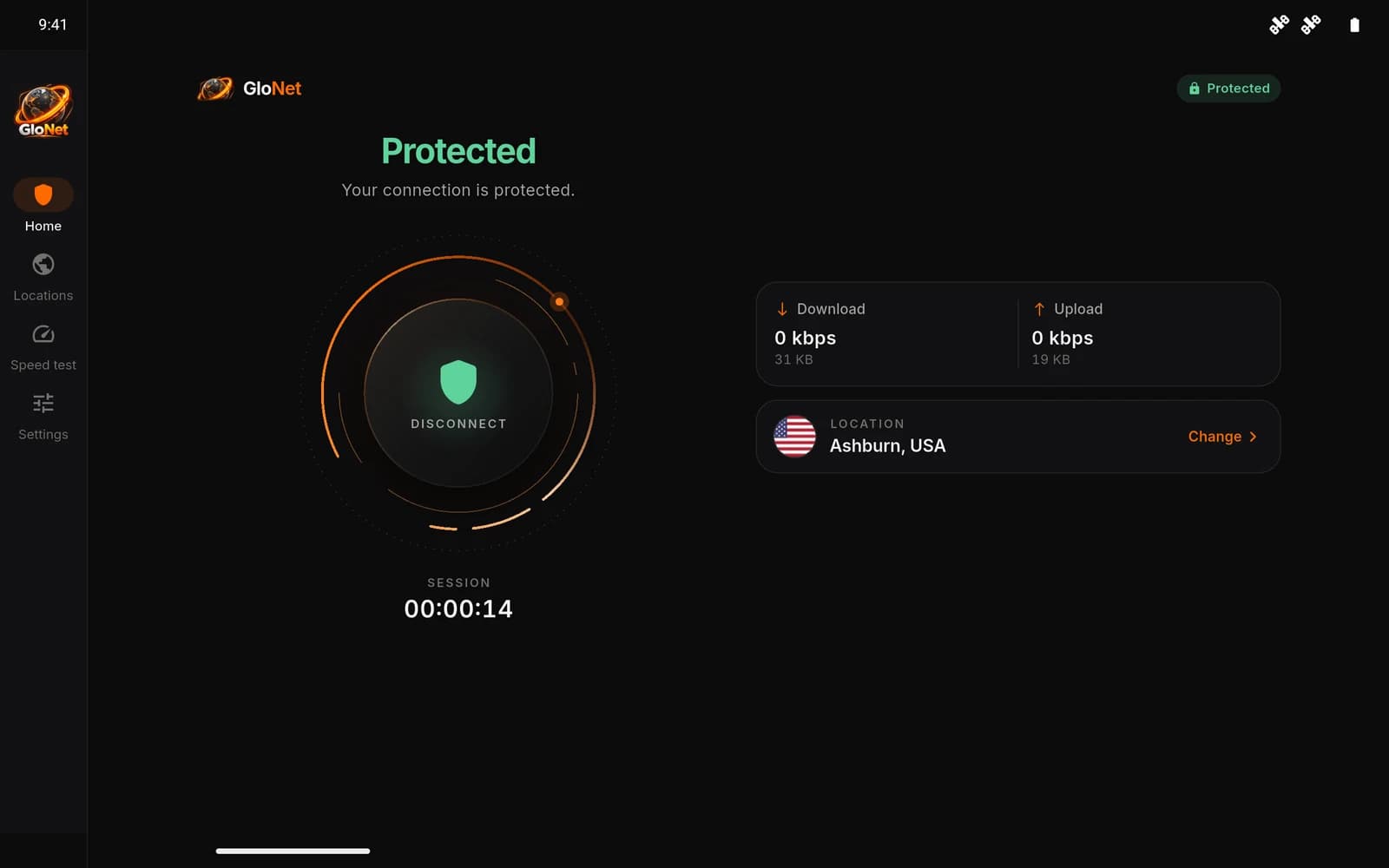
GloNet on an Android tablet in landscape, connected and showing Protected, with the navigation rail and two-column home screen.

06Pricing

Free today. Premium, later.

The current version of GloNet is free and needs no account. We’re planning an optional premium tier — there’s nothing to buy yet.

Tier 01Available now

Free

Everything in the app today, with no sign-up and no trial.

  • One-tap encrypted connection
  • US East location (Ashburn, Virginia)
  • Live status, session time and traffic
  • Speed test and private browser
  • Phone and tablet layouts
Download for Android— Coming to Google Play
Tier 02Planned

Premium

We’re working on an optional premium tier, such as additional locations. When it launches, features and pricing will be published here first.

  • No subscriptions are sold today.
  • Any future plan will be clearly labeled in the app and on this site.

07FAQ

Questions, answered.

Short, accurate answers to the things people ask most.

Visit support
What is GloNet VPN?
GloNet VPN is an Android app that routes your internet traffic through an encrypted tunnel to a GloNet server. Websites and apps see the server’s IP address instead of yours, and the connection between your device and the server is encrypted.
How do I connect?
Open the app, choose a location, and tap Connect. The first time, Android asks you to allow GloNet to create a VPN connection. When the app shows “Protected”, your connection is active.
Which platforms are supported?
Android phones and tablets running Android 7.0 or later. The new version of GloNet VPN is coming to Google Play. There is no iOS or desktop version at this time.
Where are the servers located?
GloNet currently has one location: Ashburn, Virginia (US East), United States. More locations are planned and will appear in the app as they go live.
Is GloNet free?
Yes. The current version is free to use and doesn’t require an account. Paid subscriptions are not offered at the moment.
Why does Android ask for VPN permission?
Android requires every VPN app to get your permission before it can create a VPN connection. Without it, GloNet can’t route your traffic through the encrypted tunnel. You can revoke it at any time in Android settings. More about VPN permission.
Does GloNet work on public Wi-Fi?
Yes. On public Wi-Fi, GloNet encrypts the traffic between your device and the GloNet server, so other people on the same network can’t read it. Some networks require you to sign in on a web page first — do that before connecting.
Why is my speed different when connected?
With a VPN, your traffic travels to the GloNet server before reaching the internet. Distance to the server, your local network, and how busy the server is all affect speed. The built-in speed test shows your current speed with or without the VPN.
Are more locations coming?
Yes. We’re starting with our US East location and plan to add more. New locations appear in the app automatically — no update needed.
How do I contact support?
Email support@glonetvpn.app. Including your app version (Settings → About) and your Android version helps us help you. You can also check the support page.

GloNet VPN · Android

A private connection, whenever you need it.

Free, simple and built for Android. Open the app, tap once, and you’re protected.

Download for Android— Coming to Google PlayContact support

Android · Coming to Google PlayAndroid 7.0+