GloNet

Download

GloNet for Android.

A simple, private VPN for Android phones and tablets. Free to use, with no account required.

Android

Version 1.1.0

Coming to Google Play

The new version of GloNet VPN is being prepared for Google Play. This page will link straight to the Play Store as soon as it’s live.

Google Play link coming soon
Android
7.0 or later
Devices
Phones and tablets
Connection
Wi-Fi or mobile data
Account
Not required
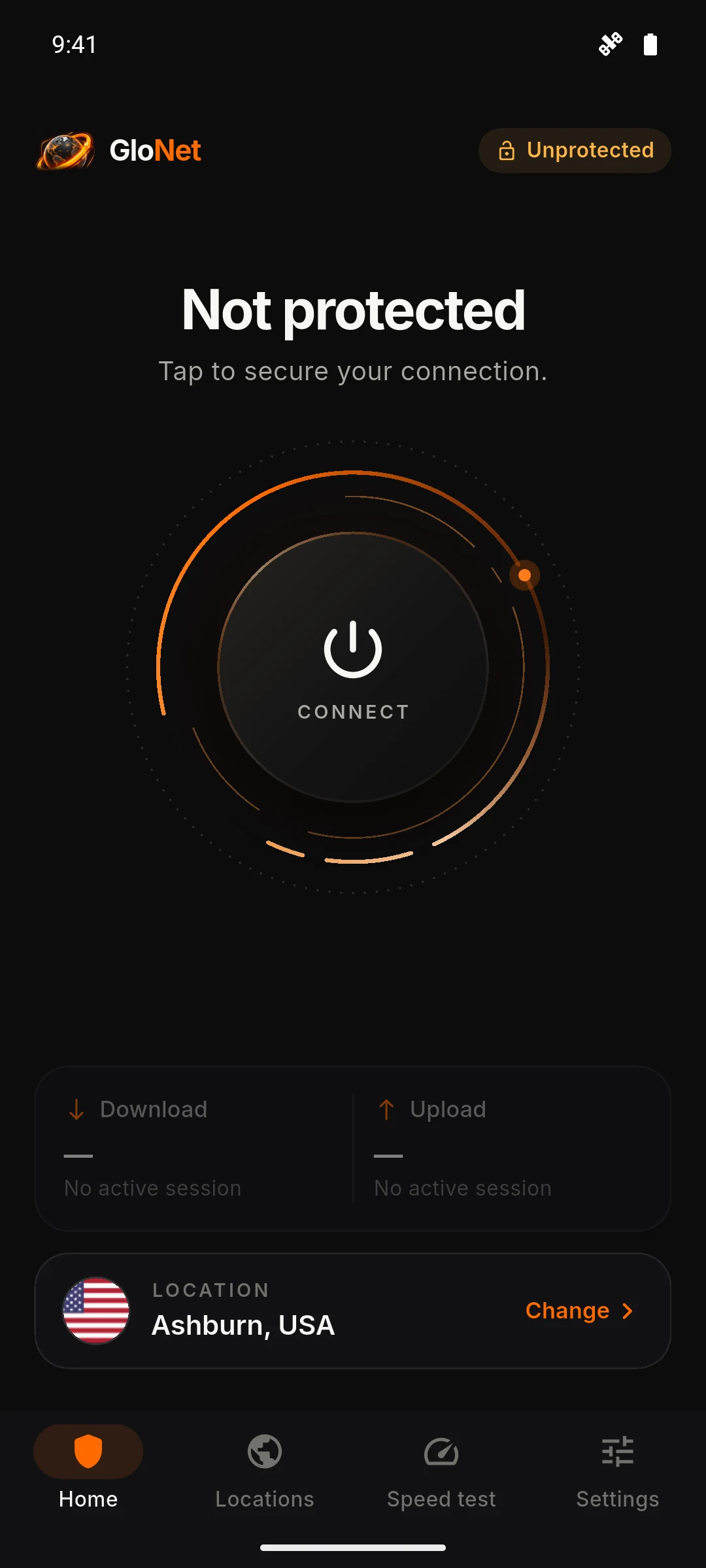
GloNet home screen ready to connect, with Ashburn, USA selected.

Getting started

Up and running in four steps.

  1. Install from Google Play when it’s live

    GloNet is distributed only through Google Play, so you always get verified updates.

  2. Open GloNet

    A location is selected for you. Change it any time from the Locations tab.

  3. Tap Connect and allow the VPN

    Android asks once for permission to create the VPN connection. Tap OK.

  4. You’re protected

    The app shows “Protected” and a key icon appears in your status bar.

Other platforms

GloNet is Android-only for now. There is no iOS, Windows or macOS version at this time.

Direct downloads

We don’t offer APK downloads. Please install GloNet only from Google Play, and be cautious of copies from other sources.

Need help?

Our support page covers VPN permission, connection problems and speed.

Visit support